> ## Documentation Index
> Fetch the complete documentation index at: https://pasteguard.com/docs/llms.txt
> Use this file to discover all available pages before exploring further.
# Quickstart
> Run PasteGuard locally and connect Browser Chat, Apps & APIs, or Coding Agents
## 1. Start PasteGuard
```bash theme={null}
docker run --rm -p 3000:3000 ghcr.io/sgasser/pasteguard:latest
```
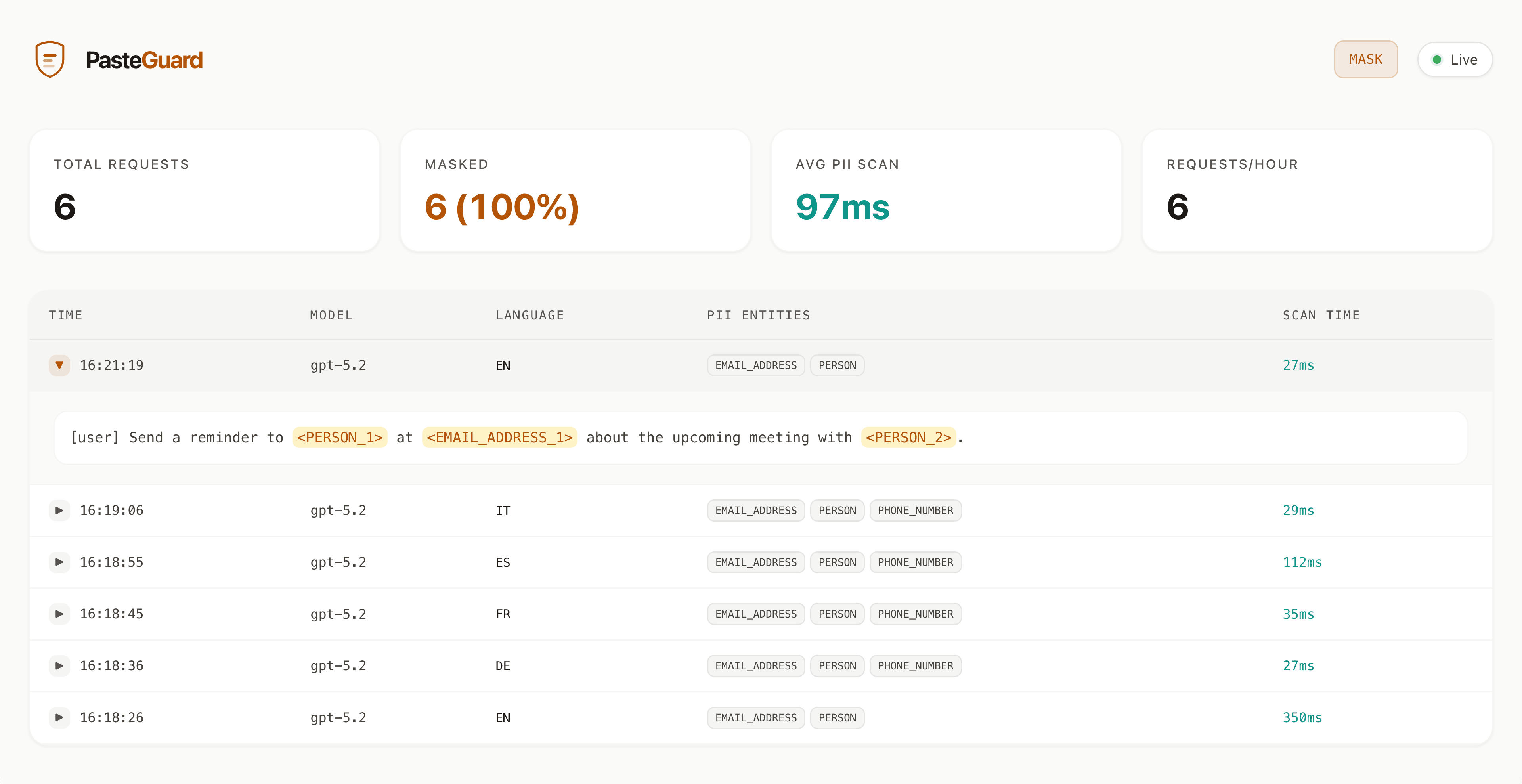
PasteGuard runs on `http://localhost:3000`. Open `http://localhost:3000` to see the dashboard.
For custom configuration, Docker Compose, or persistent logs, see [Installation](/installation).
## 2. Choose Your Path
Use the experimental browser extension with ChatGPT, Claude, and Gemini.
Change one base URL for your app or SDK.
Point Codex, Claude Code, Cursor, and other coding agents at PasteGuard.
## 3. API Endpoints
Point your app, SDK, or coding agent to PasteGuard:
| Target | PasteGuard URL |
| --------- | --------------------------------- |
| OpenAI | `http://localhost:3000/openai/v1` |
| Anthropic | `http://localhost:3000/anthropic` |
| Codex CLI | `http://localhost:3000/codex` |
## 4. Verify It Works
Send a test request and check the response headers:
```bash theme={null}
curl -i http://localhost:3000/openai/v1/chat/completions \
-H "Authorization: Bearer $OPENAI_API_KEY" \
-H "Content-Type: application/json" \
-d '{"model": "gpt-5.2", "messages": [{"role": "user", "content": "Write a follow-up email to Dr. Sarah Chen (sarah.chen@hospital.org)"}]}'
```
Look for:
```text theme={null}
X-PasteGuard-PII-Detected: true
X-PasteGuard-PII-Masked: true
```
The name and email were masked before reaching OpenAI and restored in the response.
## 5. View Dashboard
Open `http://localhost:3000` in your browser to see:
* Request history
* Detected PII and secrets
* Masked content sent to upstream APIs or Codex CLI